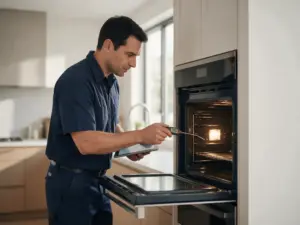
Source: Appliance Helpers - Bosch Range Error Codes
Bosch oven F121 is associated with stuck keyboard key. Review symptoms, model details, and safe external checks before deciding on the next step.
When a Bosch oven displays F121, the control has registered stuck keyboard key. That narrows attention toward the electronic control path, but the model/E-Nr and visible symptoms are still necessary before the warning is treated as a parts diagnosis.
At a glance
| Code | F121 |
|---|---|
| Appliance | Oven |
| What it means | When a Bosch oven displays F121, the control has registered stuck keyboard key. That narrows attention toward the electronic control path, but the model/E-Nr and visible symptoms are still necessary before the warning is treated as a parts diagnosis.The guidance |
The guidance below remains at the owner-safe level. It focuses on recording the condition and checking accessible items without opening protected electrical, water, gas, refrigeration, or mechanical systems. A stuck key means the control reads a key as pressed continuously, which can happen without anything visibly stuck.
At a glance
- Code: F121
- Appliance: Bosch Oven
- Verified meaning: stuck keyboard key
- Primary diagnostic direction: the electronic control path
- Service-area context: San Francisco; confirm coverage by ZIP code
What the warning means
F121 means stuck keyboard key. The warning points the diagnostic path toward the electronic control path, while the exact model and symptom pattern determine how that information should be applied.
Symptoms worth recording
Before changing settings or cycling power, note the behavior you can see or hear:
- Controls can be unresponsive or inconsistent.
- The appliance can stop before completing the selected function.
- A code may reappear immediately after startup.
- One feature may fail while others remain available.
Possible causes
Diagnosis may need to consider the following possibilities without treating any single one as confirmed:
- A fault within the control-board electronics.
- Memory or configuration data outside the expected state.
- A relay or electronic switching fault.
- Wiring, supply, or a connected load affecting the control.
First steps that stay outside the appliance
- Write down the exact display and full model number.
- Keep the control surface clean and dry where touch controls are involved.
- Follow one normal manufacturer-approved power reset when there is no sign of electrical damage.
- Avoid replace a control board from the code alone.
These checks are intended to gather useful information without exposing live wiring, bypassing an interlock, defeating a leak-protection device, opening a sealed system, or using undocumented service modes.
When to stop using the appliance
Stop immediately for smoke, burning odor, sparking, visible electrical damage, or repeated breaker trips.
When diagnosis becomes the next step
If F121 remains active or returns after the permitted external checks, the next step is model-specific testing of the system associated with stuck keyboard key. Repeated resets or parts guessing do not identify the real failure path.
For a service request, include what the appliance was doing immediately before the warning and which external checks were already completed.
The control scans the keys, and a key that reads as held down can confuse that scan. The cause may be the key itself, residue around it, its circuit, or the board that reads it, and the display cannot say which. Only documented external checks apply.
Why the full Bosch model/E-Nr matters
Use the exact Bosch model number when booking. It is the safest way to connect F121 with the correct technical documentation and related parts. Keypad layout and scanning differ across Bosch ovens, so the exact model matters for F121.
FAQ
For this record, F121 is associated with stuck keyboard key. The exact model/E-Nr still matters because Bosch can use different hardware and diagnostic logic across product families.
Only if no safety stop condition is present and the appliance is otherwise operating safely. If the code repeats, performance is abnormal, or there is leaking, smoke, electrical odor, sparking, overheating, or repeated breaker trips, leave the appliance off.
Use only a normal reset that Bosch documents for the exact model. If the warning returns, repeated resets are not a substitute for diagnosis.
No. The code identifies a detected system condition. Model information, symptoms, and model-specific testing are still needed before a component is selected.
Have the full Bosch model/E-Nr, the exact F121 display, the cycle stage or operating state where it appears, the visible symptoms, and the external checks already completed.
Bosch service in the San Francisco area
Still seeing F121 on your Bosch oven?
If F121 remains active or comes back, request Bosch oven diagnosis for the San Francisco service area. Include the complete model/E-Nr, exact code, symptom summary, and ZIP code so service coverage can be confirmed. Say whether any key felt different when pressed.