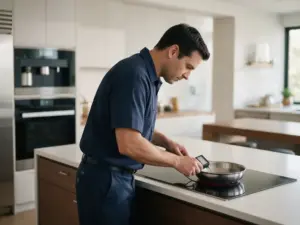
Source: Bosch US Owner Support - Cooktops & Rangetops Error Codes
Demo mode is active: the controls respond but the cooking zones stay cold. A 30-second breaker cut and one touch turn it off.
A cooktop that lights up and accepts settings but never gets warm, with dE on the display, is in demo mode. Demo mode lets the controls work without powering the cooking zones. Bosch lists dE in both the electric and the induction sections of its cooktop page.
At a glance
| Code | dE |
|---|---|
| Appliance | Cooktop |
| What it means | Demo mode has been activated, so the cooking zones do not heat up. |
Switching demo mode off
- Cut power to the cooktop for 30 seconds at the circuit breaker or fuse in your electrical panel.
- Restore power. Then, within the next three minutes, touch any control on the cooktop.
Bosch’s electric and induction instructions differ only in wording. Both use the 30-second power cut followed by a touch inside three minutes.
Getting the timing right
The touch has to land inside that three-minute window after power is back. If you missed it, cut the power again and start over. Half a minute with the breaker off is enough. There is no need to leave it off longer.
Finding the right breaker
A cooktop normally has its own breaker in the panel, often labeled for the cooktop or the kitchen. Do not remove the panel cover.
If dE keeps returning
Bosch’s page does not say what switches demo mode on, and it gives no further step if the method fails. A cooktop that goes back into dE after a correct reset falls outside the owner fix.
Other “no heat” messages
- F8 with H/h: the automatic time limit stopped a zone
- E7010: a network or hood connection message, not a heating fault
- dE on a Bosch range: demo mode on induction slide-in ranges
San Francisco service for Bosch cooktops
If dE survives the breaker method, call (415) 851-9513. Mention that you already tried the 30-second power cut and the touch.