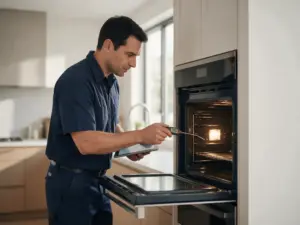
Source: Service Manual for 300, 500 and 800 Series Built-in Wall Ovens (Bosch HBL8x50UC, HBL57x0UC, HBL56x0UC, HBL54x0UC, HBL35x0UC, HBL33x0UC, HBN56x0UC, HBN54x0UC, HBN35x0UC, HBN34x0UC, HBN3350UC), section 5.1 Error Code Table
E011 means one key is registering as continuously pressed. Bosch's service manual says to check the user interface assembly and inspect the touch PCB.
Your oven thinks someone has a finger on one key and never lets go. That is what E011, “continuous pushing of single key,” means on Bosch 300, 500 and 800 Series built-in wall ovens. The service manual’s instruction for it is short: check the user interface assembly and inspect the touch PCB, the circuit board behind the keys.
At a glance
| Code | E011 |
|---|---|
| Appliance | Oven |
| What it means | A single key is registering as continuously pressed; the user interface assembly and touch PCB need checking. |
Rule out something pressing the key
Since the code is about a key held down, look at the panel first. These checks need no tools:
- Is anything leaning on the control panel, such as a pan handle, a towel or a utensil?
- On a glass touch panel (800 Series), is there spilled liquid or residue across the keys? Wipe it dry with a soft cloth while the oven is off.
- On dial models (300 and 500 Series), does any key around the dials feel stuck or fail to spring back?
Once the panel is clear, turn the oven off at the breaker for 30 seconds and back on. If E011 returns with nothing touching the keys, the fault is inside the interface.
The technician side
Inspecting the touch PCB means removing the user interface from the front of the oven after sliding the unit out a few inches. The board and chassis are replaced together as one assembly when needed, followed by a reset and a test run, as the manual directs.
E011 or E11?
Bosch also lists a shorter E11 on its owner-support page for ovens, described as touch keys not operating properly, possibly due to condensation on the keypad. The two appear in different Bosch documents and are worded differently. If your display shows three digits, this page is the one that matches. Wiping the panel dry is a sensible first move for either.
Keypad codes to compare
- E032: several keys pressed at once for 10 seconds
- E014: the ON/OFF key does not work
- E11: Bosch’s owner-page touch key code with a condensation note
Stuck-key service for Bosch ovens in San Francisco
If the panel is clean and E011 keeps coming back, call (415) 851-9513. Tell us which series you have and whether any key feels different to the touch.